
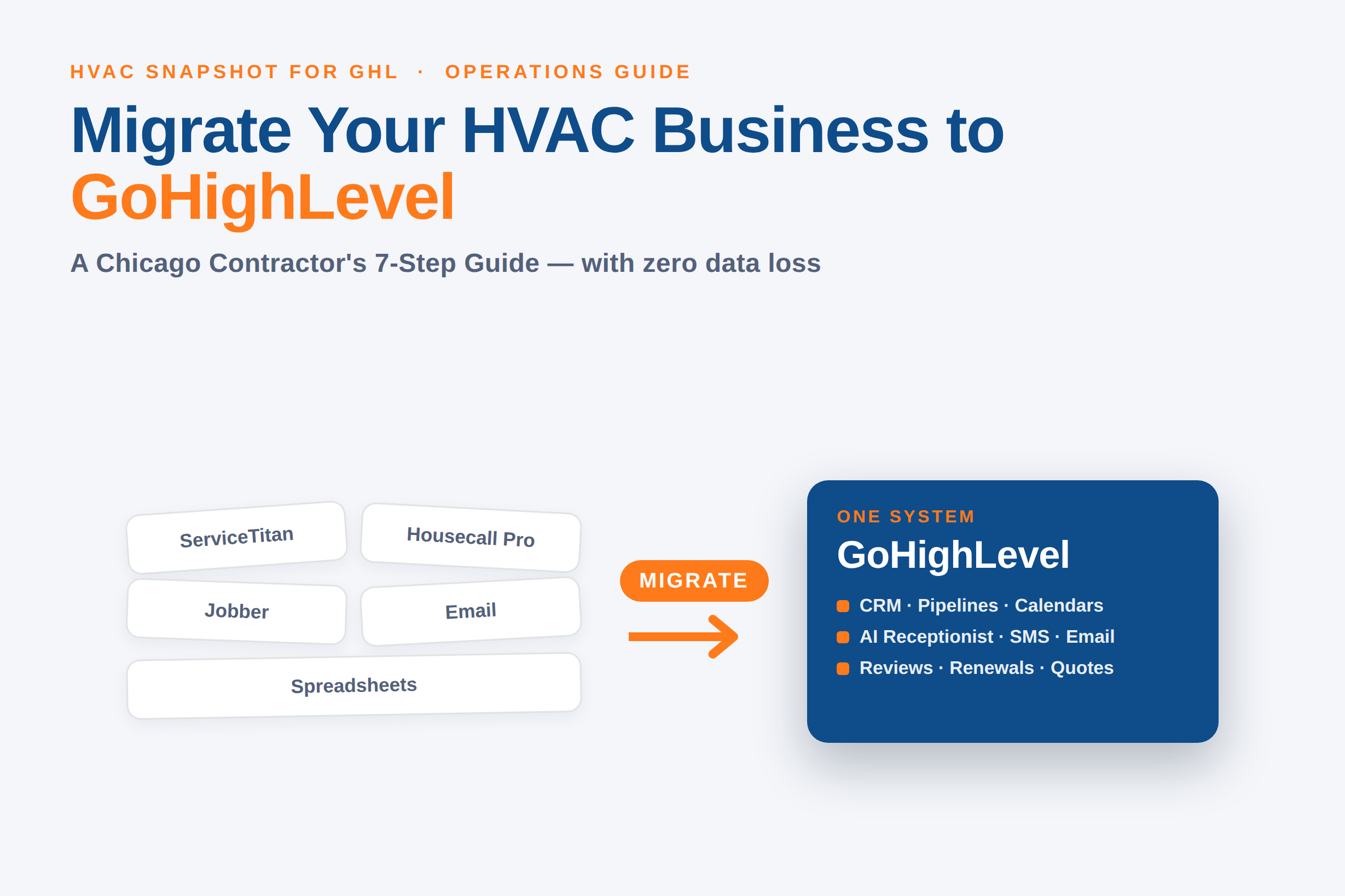
It’s a February morning in Chicago, the overnight low sat at 12°F, and by 7 a.m. a furnace-out shop on the North Side has 14 voicemails, a Housecall Pro dispatch board, a QuickBooks tab, a spreadsheet of maintenance-plan renewals, and a separate email tool for review requests — none of which talk to each other. The owner isn’t running the business; the owner is copy-pasting between six apps while the phone keeps ringing. That is the exact problem migrating to GoHighLevel solves.
Here’s the short version: migrating your HVAC business to GoHighLevel means moving your contacts, pipelines, calendars, quoting, follow-up, and review workflows off a scattered stack of field-service tools and into one system — so a Chicago shop stops paying for (and re-keying data across) five platforms and runs the whole front office from a single dashboard. Done right, it carries everything over with no data loss and no downtime. Done carelessly, it loses history and breaks your automations. This guide walks the 7-step playbook we use, the real costs on both sides, and where a done-for-you GHL migration earns its keep.
On this page
- What does migrating to GoHighLevel mean?
- Why Chicago HVAC shops are consolidating into GoHighLevel
- The real cost of a scattered software stack
- Your current stack vs. GoHighLevel
- The 7-step HVAC migration playbook
- What goes wrong in a DIY migration
- What it costs and how long it takes
- Frequently asked questions
What does migrating to GoHighLevel mean?
Migrating to GoHighLevel means exporting your business data — contacts, job history, pipelines, tags, calendars, custom fields, and the workflows that drive follow-up — out of your current tools and importing it into a single GoHighLevel account, then rebuilding your automations so the whole front office runs in one place. For most HVAC shops, that “current tool” is one of three things: a field-service platform like ServiceTitan, Housecall Pro, or Jobber; a general CRM plus a website builder; or the classic pile of spreadsheets, a shared inbox, and sticky notes.
Migration is not the same as “signing up.” Signing up gives you an empty account. Migration is the disciplined move of your actual customer base and operating history into that account so nothing is lost — the ten-year customer who buys a new system every seven winters, the maintenance-plan member whose renewal fires in October, the tagged lead who asked about a heat pump rebate last spring. Get the move right and day one on GoHighLevel looks like a normal day, just with fewer tabs.
Why Chicago HVAC shops are consolidating into GoHighLevel
Two forces are pushing Chicago contractors toward one system. The first is market pressure. Illinois’ heating and air-conditioning contractor industry is worth roughly $6.2 billion across about 4,417 businesses employing more than 20,000 people (IBISWorld, 2026). In a field that crowded, the shop that answers first and follows up automatically wins the job — and you can’t automate follow-up cleanly when the lead lives in one app, the calendar in another, and the review request in a third.
The second force is climate. Chicago doesn’t hand contractors a slow season to “get the software sorted.” NOAA’s 1991–2020 normals put the July high around 84.5°F and the winter low near 21°F, with about 38 inches of snow a year (NOAA/NWS Chicago). That means AC calls all summer, no-heat emergencies all winter, and IAQ and tune-up work in the shoulders. The office is never idle, so the cost of a fragmented stack — dropped leads, missed renewals, slow callbacks — compounds every month of the year.
Most HVAC owners don’t need another tool — they need fewer tools that actually talk to each other. The whole ROI of a GoHighLevel migration is turning six logins and a spreadsheet into one dashboard your office can run without re-keying a thing.
GoHighLevel earns the consolidation because it bundles the pieces an HVAC front office actually uses: a CRM with pipelines, a booking calendar, two-way SMS and email, an AI receptionist that answers and books after-hours calls, a review-harvesting engine, and workflow automation — under one flat monthly price instead of a per-technician meter.
The real cost of a scattered software stack
The sticker price of your tools is the smaller number. The bigger one is the productivity tax of running them separately. Asana’s Anatomy of Work index found workers switch between roughly 10 apps 25 times a day and lose about four hours a week — nearly five work-weeks a year — just re-orienting after those switches (Asana, 2021). For a two-person HVAC office, that’s a part-time salary evaporating into tab-juggling.
Then there’s the direct software bill. Here is what the common HVAC platforms actually charge, from their published pricing:
Monthly software cost: field-service tools vs. GoHighLevel
| Platform | Entry price | Top published tier |
|---|---|---|
| Jobber | $29/mo (Core) | $399/mo (Plus, up to 15 users) |
| Housecall Pro | $79/mo (Basic, 1 user) | $329/mo (MAX, 8 users) + $35/extra user |
| ServiceTitan | ~$245/tech/mo (reported) | ~$500/tech/mo + $5K–$50K setup (third-party estimate) |
| GoHighLevel | $97/mo (Starter) | $297/mo (Agency Pro, unlimited) |
Jobber and Housecall Pro list prices come straight from Jobber’s 2026 comparison; GoHighLevel’s are from its pricing page. ServiceTitan doesn’t publish pricing — the per-tech figures are widely reported by third parties and should be treated as estimates, not official numbers. The pattern still holds: per-seat, per-technician field-service software scales its cost with your crew, while GoHighLevel’s flat plan doesn’t. A five-truck Chicago shop feels that difference every month.
And the payoff for consolidating is well-documented: Nucleus Research’s often-cited 2014 analysis pegged CRM returns at $8.71 for every dollar spent (Nucleus, 2014). Later Nucleus work put the figure lower — around $3.10 per $1 in 2021 — so treat $8.71 as the optimistic end of a real range, not a promise. Either way, the return is positive, and 71% of small businesses already run a CRM (Freshworks, 2024) — the question isn’t whether to centralize, it’s onto what.
Your current stack vs. GoHighLevel
Before the migration steps, it helps to see what actually consolidates. Here’s how a typical fragmented HVAC stack maps onto a single GoHighLevel account:
What GoHighLevel replaces in a typical HVAC stack
| Job to be done | Typical scattered setup | Inside GoHighLevel |
|---|---|---|
| Customer records & history | Field-service app + spreadsheet | One CRM with tags & custom fields |
| Booking & dispatch calendar | Separate scheduler | Built-in calendars & pipelines |
| Missed & after-hours calls | Voicemail / answering service | AI receptionist + missed-call text-back |
| Follow-up SMS & email | A texting app + an email tool | Two-way SMS + email workflows |
| Review requests | Manual or a review app | Automated review harvesting |
| Estimates & payment links | Quoting tool + processor | Invoices, quotes & Stripe in-app |
The value isn’t that GoHighLevel does each job better than every specialist tool — it’s that these jobs finally share one customer record. When a job is marked complete, the review request fires, the maintenance-plan tag updates, and the next-season reminder schedules itself, all without anyone re-keying the customer into a fourth app. That’s the difference a migration buys you.
The 7-step HVAC migration playbook
A migration succeeds or fails on sequence. Rush the export and you drag dirty data into your shiny new system — and remember, poor data quality alone costs organizations about $12.9 million a year on average (Gartner, 2020). Here is the exact order we run a migration for an HVAC shop:
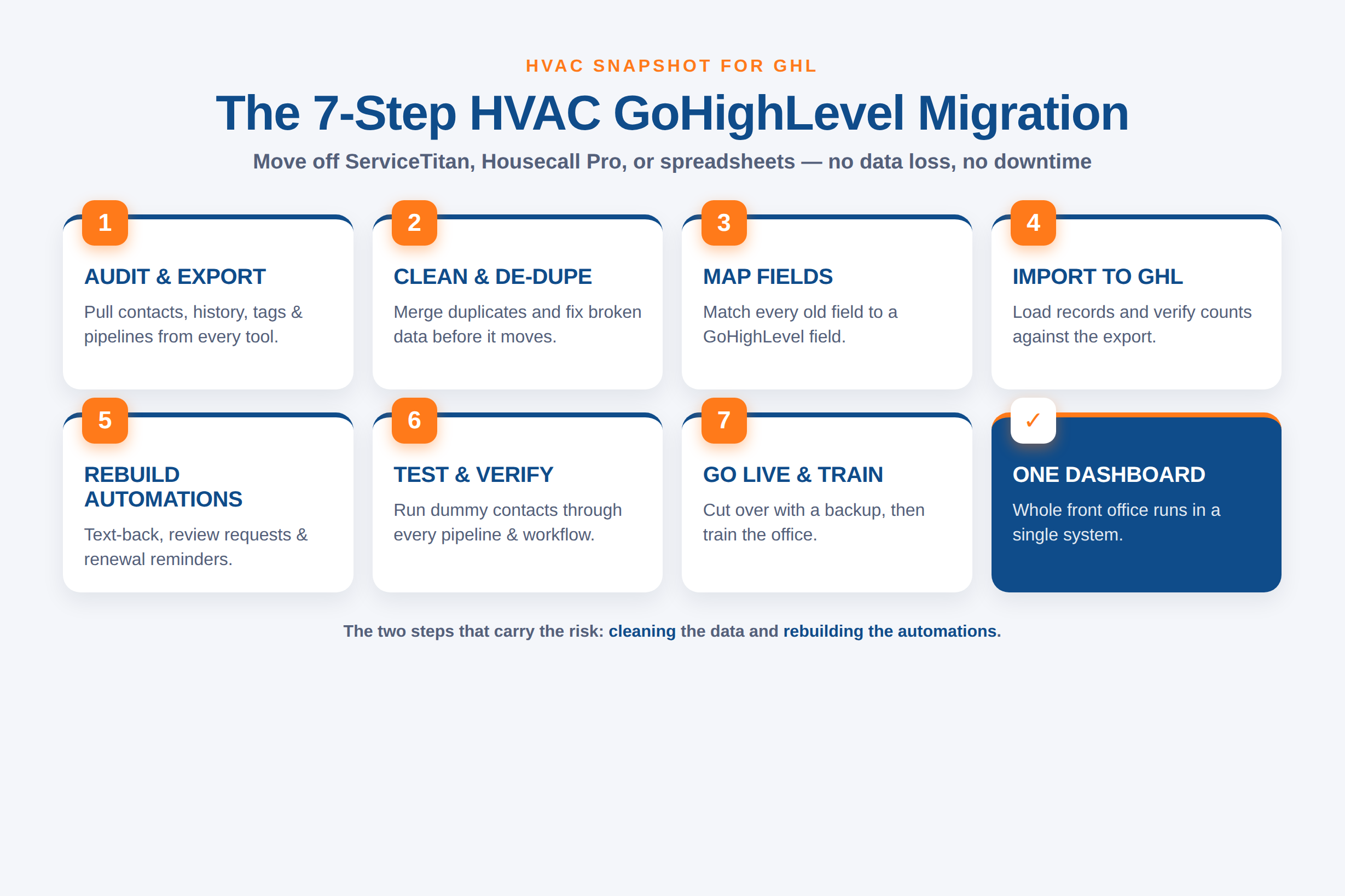
- 1Step 1
Audit & export
Inventory every tool holding customer data — field-service app, spreadsheets, inbox, quoting tool. Export contacts, job history, tags, custom fields, and pipelines to CSV or via API.
- 2Step 2
Clean & de-duplicate
Merge duplicate customers, fix broken phone/email formats, and drop dead records. Migrate clean data, not the mess — this is where most of the risk lives.
- 3Step 3
Map fields
Match every old field to a GoHighLevel field: customer type, equipment installed, maintenance-plan status, service address. A clean map means nothing lands in the wrong column.
- 4Step 4
Import to GoHighLevel
Load contacts, pipelines, tags, and calendars into the new account. Verify record counts against the export so you know nothing dropped in transit.
- 5Step 5
Rebuild automations
Recreate the workflows that drive revenue — missed-call text-back, review requests, maintenance-plan renewals, seasonal tune-up reminders — wired to the imported tags.
- 6Step 6
Test & verify
Run test contacts through every pipeline and workflow. Confirm SMS/email send, calendars book, and the AI receptionist answers before a single real customer touches it.
- 7Step 7
Go live & train
Cut over with the old system still readable as a backup. Train the office on the one dashboard, then decommission the tools you're now paying for twice.
Two steps carry most of the risk: cleaning (Step 2) and rebuilding automations (Step 5). Anyone can push a CSV into an import screen. Making sure the maintenance-plan renewals still fire in the right month, the review request still triggers on job completion, and the missed-call text-back still catches after-hours emergencies — that’s the engineering, and it’s exactly the custom GoHighLevel development work that separates a migration that saves you money from one that quietly breaks your follow-up.
What goes wrong in a DIY migration
The temptation is to do it yourself over a slow weekend. The reason most shops shouldn’t is that the failure modes are invisible until a customer hits them. A DIY CSV import will happily accept 3,000 contacts and silently truncate the custom fields it doesn’t recognize — so three winters of “equipment installed” notes vanish, and you don’t find out until a tech shows up without the model number. Automations are worse: if the review request doesn’t rebuild correctly, you don’t get an error, you just quietly stop earning reviews, and you won’t notice for a month.
A Chicago HVAC migration: DIY weekend vs. done-for-you
Contacts import but custom fields and job history silently drop. Duplicate customers pile up. Old automations don't rebuild, so review requests and renewal reminders quietly stop firing. The office runs both systems in parallel for weeks, unsure which one is right, and no one owns the errors.
Data is audited, de-duped, and mapped before import, with record counts verified against the export. Every revenue workflow — missed-call text-back, reviews, maintenance renewals — is rebuilt and tested with dummy contacts before go-live. The old system stays readable as a backup, the office trains on one dashboard, and nothing customer-facing breaks.
This is the same reason Houston shops end up hiring a GHL VA to run the system rather than fighting it alone — the platform is powerful, but the setup and upkeep are real work. A migration is the highest-stakes version of that work, because you’re moving the whole business at once.
What it costs and how long it takes
A done-for-you GoHighLevel migration is scoped, not open-ended. For a typical HVAC shop, the moving parts are the size of your contact database, how many automations need rebuilding, and how many outside tools (QuickBooks, a dispatch app, Stripe) still need to connect back to GoHighLevel afterward. Small, clean migrations are quick; a five-truck shop with years of history and a dozen live workflows takes more mapping and testing.
Our GHL development and migration service quotes migrations fixed-price so there’s no moving target mid-project, with hourly retainer work available at $75/hr for smaller jobs. Every fixed-price build includes full IP transfer — you own everything — and a 30-day bug-fix warranty, so if a rebuilt automation misfires in week three, it gets fixed. If you’d rather start on the prebuilt system instead of a custom move, the HVAC snapshot drops a complete, trade-specific GoHighLevel setup into your account and you migrate your contacts into it.
The honest timeline: a straightforward migration lands in days, not months. The work that takes time isn’t the import — it’s the cleaning and the automation rebuild, and skipping either is exactly how DIY migrations quietly cost more than they save.
Frequently asked questions
Migrating an HVAC business to GoHighLevel — common questions
What does migrating my HVAC business to GoHighLevel actually involve?
It's the disciplined move of your customer data and operating history out of your current tools and into one GoHighLevel account: exporting contacts, job history, tags, custom fields, calendars, and pipelines; cleaning and de-duplicating them; mapping every field to GoHighLevel; importing and verifying record counts; and rebuilding the automations that drive follow-up — missed-call text-back, review requests, and maintenance-plan renewals — so the whole front office runs from one dashboard.
Can you migrate me off ServiceTitan, Housecall Pro, or Jobber?
Yes — moving off ServiceTitan, Housecall Pro, Jobber, FieldEdge, or a pile of spreadsheets into GoHighLevel is one of the most-requested builds. We export your contacts, pipelines, tags, and history, map them cleanly into a GoHighLevel sub-account, de-dupe, and verify everything before go-live, with the old system left readable as a backup during cutover.
Will I lose data or have downtime during the migration?
A properly run migration has neither. Record counts are verified against the export so nothing drops in transit, custom fields are mapped explicitly rather than left to a best-guess import, and the cutover happens with the old system still readable. The risk with a DIY import is silent data loss — truncated custom fields and broken automations you don't notice until a customer hits them — which is exactly what a structured, verified migration prevents.
How much does a GoHighLevel migration cost?
Migrations are quoted fixed-price so there's no moving target, with hourly retainer work available at $75/hr for smaller jobs. Cost depends on database size, how many automations need rebuilding, and which outside tools (QuickBooks, Stripe, a dispatch app) still need to connect back to GoHighLevel. Every fixed-price build includes full IP transfer and a 30-day bug-fix warranty. Book a call for a firm quote.
Is GoHighLevel cheaper than my current HVAC software?
Usually, because it's flat-priced instead of per-technician. Housecall Pro runs $79–$329/mo and Jobber $29–$399/mo (2026 published pricing), and ServiceTitan is reported by third parties at roughly $245–$500 per technician per month, while GoHighLevel is a flat $97 or $297/mo for the whole account. For a multi-truck Chicago shop, replacing several per-seat tools with one flat plan is where most of the savings come from — plus the hours your office stops losing to app-switching.
Does this only apply to Chicago HVAC shops?
No. The 7-step playbook works for any residential or light-commercial HVAC contractor in the U.S. or Canada — Chicago is just a clear example of a crowded, year-round market where a fragmented software stack costs you every month. Our GoHighLevel development and migration service handles the move for any market.
About the author
Rachel Okonkwo is a GoHighLevel Automation Consultant based in Columbus, OH. She builds GoHighLevel workflows for home-service contractors and the agencies that white-label for them, and has wired up review engines, maintenance-plan renewals, and AI receptionists across dozens of HVAC accounts. She writes the implementation-heavy pieces — pipelines, tags, triggers, and the snapshot install itself — and is opinionated about which automations actually pay back inside 30 days.
Related posts
- The Real Cost of Running GoHighLevel Yourself: Why Houston HVAC Owners Hire a GHL VA in 2026
- GoHighLevel’s AI Employee for HVAC Contractors: What Voice AI & Conversation AI Actually Do in 2026
- Speed to Lead for HVAC: Why the First 5 Minutes Decide Who Wins the Job
- Why San Diego HVAC Contractors Need Facebook & Instagram DM Automation in 2026
- Astro vs GoHighLevel Websites for Phoenix HVAC Contractors: Page Speed & SEO Compared (2026)